%@ Language=Inherit from Web site %>

The Home Cabinet Pro Series
For
home use only. Not
for professional cabinet makers.

Click here
for the Professional Versions of Cabinet Pro
The Home Cabinet Pro Series is for those woodworking hobbyists who make their own cabinets in their personal shop
|
Program |
Description |
Price |
|
The Home Cabinet Pro
Series |
||
|
The |
Cabinet Shop Drawings and Cutlists 3D Design and Wall Elevations Allows up to 100 cabinets per cutlist
plus panel optimization |
$450 |
Shop Drawings & Cutlist
|
|
Face frame style construction. |
|
|
One Door Style that you can change to your needs |
|
|
One Drawer Box Style that you can change to your needs |
|
|
Supports the drawer style of your choice |
|
|
Entertainment centers and modular cabinets |
|
|
Choice between using fractions or decimals. (Inch Mode Only) |
|
|
By the press of a key, open and close cabinet doors to see inside detail |
|
|
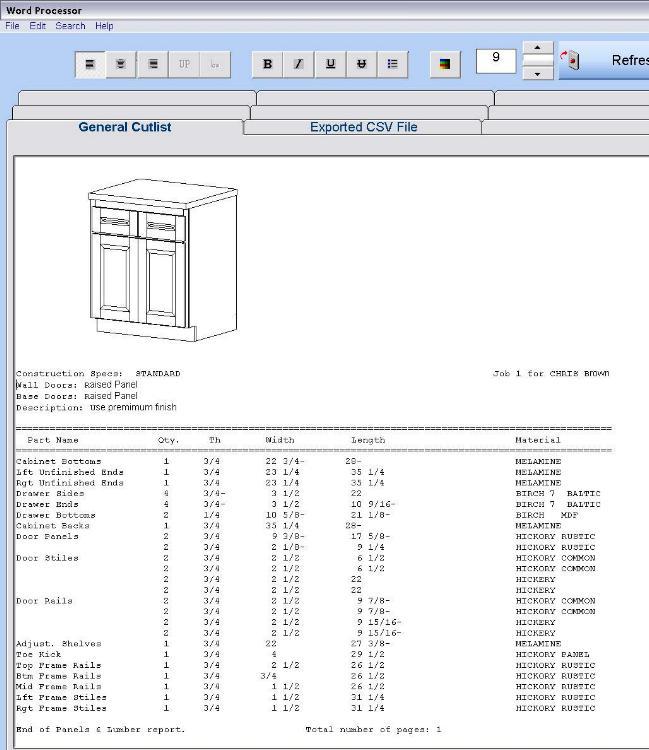
Individual Cabinet Cutlist: shop drawing, cutlist, door & drawer parts, materials, accessories and hardware all on one page. |
|
|
Bill of materials, showing materials required such as number of panels and board feet of lumber |
|
|
Allows up to 100 cabinets per job |
|
|
Allows the cutlist for one cabinet per page (The Panel Optimizer, below, allows up to 100 cabinets per cutlist) |
|
|
Adjust program settings to make your cutlist reflect your method of construction |
|
|
Heavy & light designations (for example: "7/32" may be represented as ( "3/16+", "1/4-" or "7/32") |
|
|
Have picture of the cabinet at the top of your cutlist |
|
|
Video Tutorials teach you how to use the software |
|
|
Make base cabinets, wall cabinets, tall cabinets, drawer banks, entertainment centers, long custom cabinets, and some bedroom furniture |
|
|
Faceframe only. Frameless cabinets are not allowed. |
|
|
Differs from the Professional Series in that long multiple-sectioned cabinets are not allowed. All cabinets must be single sectioned modular units. |
|
|
Technical Support by email only |
|
|
The Home Cabinet Pro Series is for home use only. This series is not for professional cabinet makers. Click here for Screenshots Table of Contents, Top of Page
|
Design Module
|
|
3D Design (line-drawings only) |
|
|
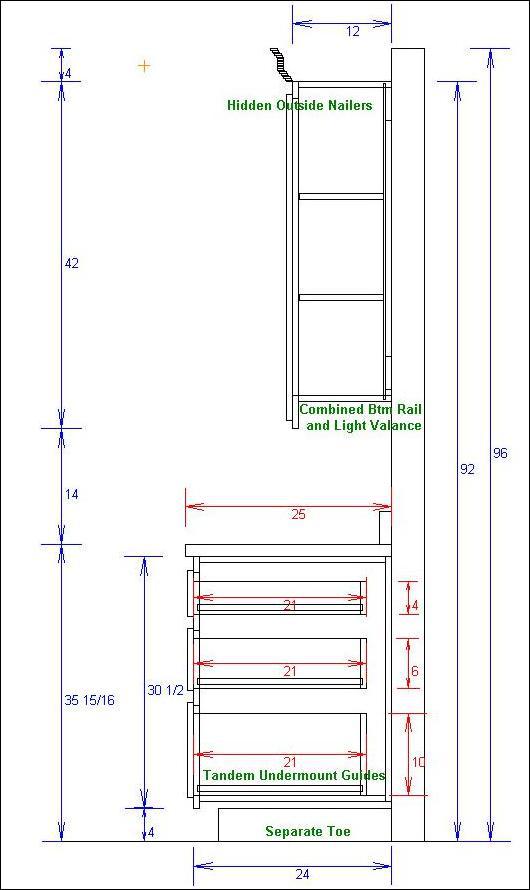
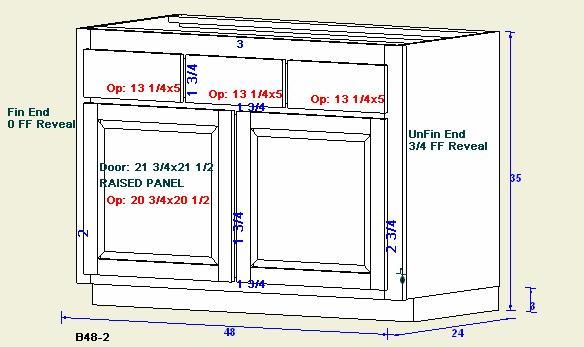
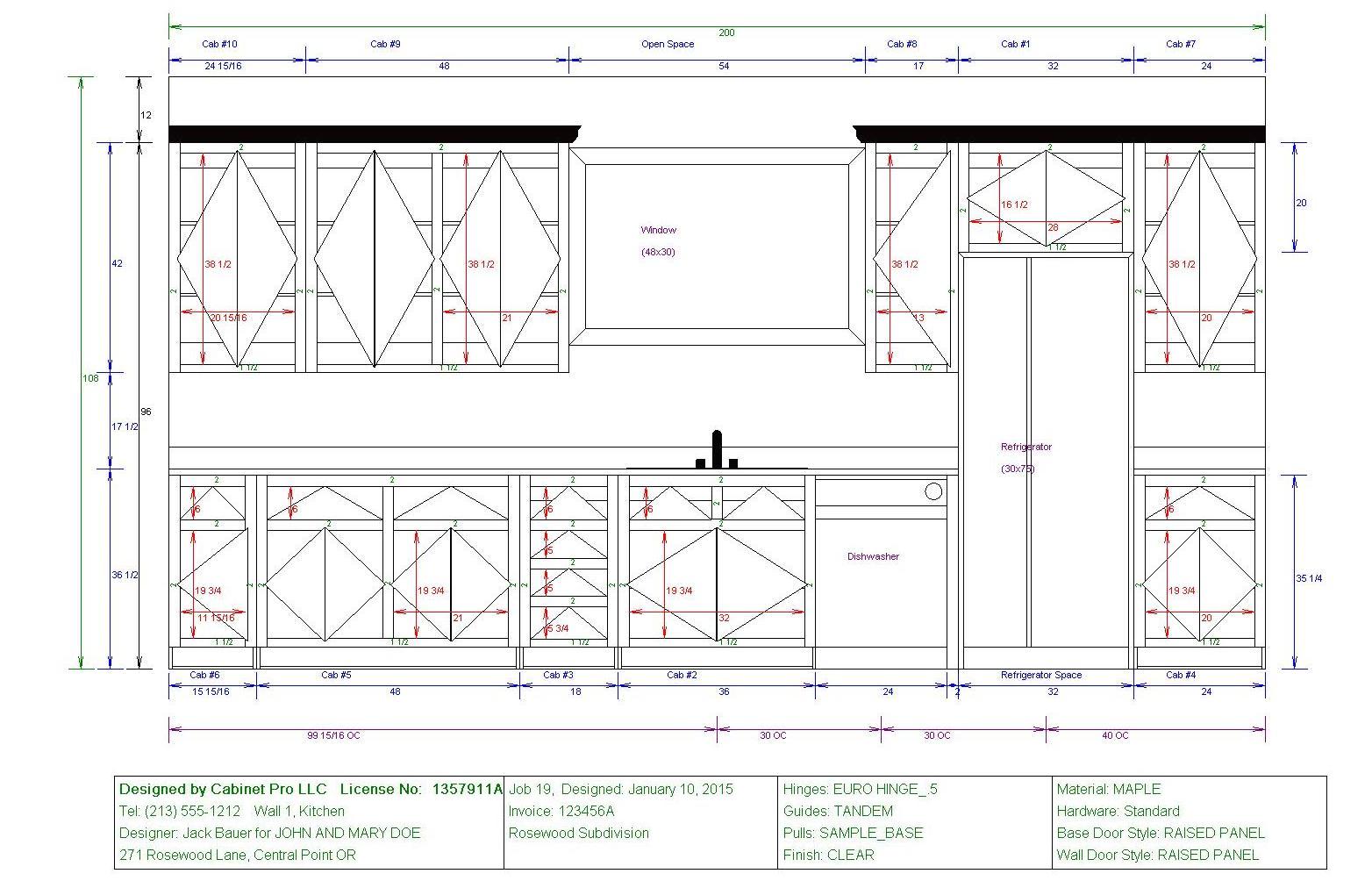
Floor plans, & dimensioned wall elevations. |
|
|
Shop drawings for individual cabinets or whole wall of cabinets. |
|
|
Convert your 3D drawing into
a cutlist upon demand |
Table of Contents, Top of Page
Panel Optimizer
|
|
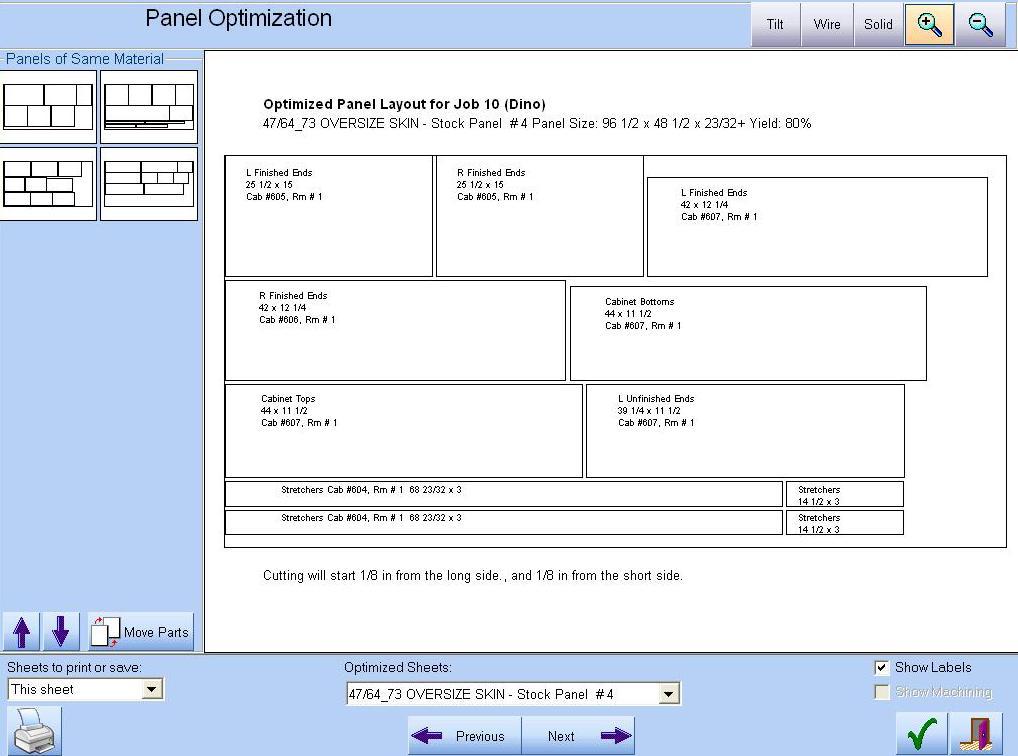
Allows up to 100 cabinets per cutlist, rather than one as per the Shop Drawings & Cutlist module |
|
|
Allows for both Ripping Kerf and Crosscut Kerf |
|
|
Allows custom adjustment for width and length of parts optimized |
|
|
Allows maximum and minimum part widths and lengths to be optimized |
|
|
Automatic entry of all appropriate panels into the optimizer! |
|
|
Allows numerous sub-rips within each rip. |
|
|
Initial cutoffs for width and length per panel. |
|
|
Allows no grouping so that maximum optimization is achieved. |
|
|
Allows grouping by part, so that all like parts are optimized on the same sheet(s), if possible. |
|
|
Allows grouping by cabinet, so that all parts of a given cabinet are optimized on the same sheet(s), if possible. |
|
|
If grouped, the optimizer allows groups to be mixed on the same sheet or not. |
|
|
Almost no setup! Panels are automatically optimized while obtaining a cutlist. |
Click here for Screenshots
Table of Contents, Top of Page
Credit Card Purchase
|
Screen Shots of the Home Cabinet Pro Series
Shop Drawings & Cutlist:


Design Module:

Panel Optimizer:
|
|
|||||||||||||||||||||||||||||||||||||||||||||||||||||||||||||||||||||||||||||||||||||||||||||||||||||||||||||||||||||||||||||||||||||||||||||||||||||||||||||||||||||||||||||

Technical Support for the
Home Cabinet Pro Suite is by email
only |
|||||||||||||||||||||||||||||||||||||||||||||||||||||||||||||||||||||||||||||||||||||||||||||||||||||||||||||||||||||||||||||||||||||||||||||||||||||||||||||||||||||||||||||
Click here for a comparison study of Cabinet Pro