Welcome to Door Pro CNC Software!
Serving the Door Manufacturing Industry since 1986!


Tel:  (702) 330-0775
Fax:  (541) 664-2810


Press the link above to enter the website of Cabinet Pro LLC


Design and Manufacturing Software
for the Cabinet Industry


Click the button below to enter the website of Door Pro CNC Software


The most Affordable Software in its Class!


General Features of Door Pro
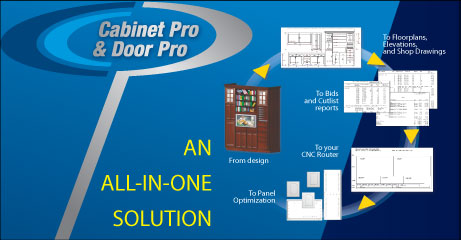
Door Pro, software for the Manufacturer of Cabinet Doors for other cabinet shops, produces numerous reports such as job costing, bids, confirmation reports, invoices, contracts, unlimited user-defined cutlists and panel optimization.  Data Entry allows change of door style per door, change of frame and panel material per door, construction comments per door, multiple sorting of doors in job by style, material, height, and width, and alteration of construction methods per door. If you would like to see a comparison of features of all programs, see Program Comparison.
bullet

Supports all drawer styles and allows user-defined door style library.

bullet

Can switch between millimeters and inches at virtually any time.

bullet

You may create parameter-generated parts.

bullet

Each door entry can have its own material, style and manufacturing definitions.

bullet

Dimensioned drawing of each door.

bullet

Up to three different sized panels per door.

bullet

Multiple inside rails and stiles.

bullet

Control over all part widths, insets, etc. per door.

bullet

Automatically adjust door rails and stiles based upon the size of the door or drawer front

bullet

Export Cutlists reports to Microsoft Excel, or to the internal Word Processor.

bullet

All versions of both Cabinet Pro and Door Pro are Singer User versions that must be installed on the C drive of a given computer.  Network Versions are additional cost and are customized per customer.


Data Entry
bullet

Allows change of door style per door.

bullet

Allows change of frame and panel material per door.

bullet

Allows construction comments per door.

bullet

Allows multiple sorting of doors in job by style, material, height and width.

bullet

Allows alteration of construction methods per door.

bullet

Allows user-defined options and accessories per door.

Note:  If you are a cabinet maker who makes his/her own doors then Cabinet Pro is the program you should be investigating.  Cabinet Pro allows the making of doors and cabinets.  Door Pro is specifically for those shops that make and sell doors - without cabinets - to other cabinet shops.  If you are a cabinet shop that also makes doors for other cabinet makers, then you may want to purchase both Cabinet Pro and Door Pro.


Security System

Both Cabinet Pro and Door Pro utilize an optional Security System where a UserID and Password can be required to use the software.  Alternatively, this option may be turned off so that a UserID and Password are not used and any particular user has full permissions to operate all aspects of the software.

If the Security System is turned on, then...

bullet

The Owner or Administrator creates a special password, referred to as a Security Key, where full access may always be granted in case the computer is locked up and inaccessible for any reason having to do with given user's ID and Password.

bullet

Cabinet Pro LLC holds a "back door" UserID and Password that can unlock any computer, under any circumstances.

bullet

Up to 20 users may be added to any computer, where each user has separate passwords and permissions.

bullet

The Owner or Administrator determines which permissions each user may have when he/she logs in.

bullet

From 1 to 12 Separate Permissions may be assigned to each user that become active when that user logs onto Cabinet Pro or Door Pro..

bullet

These 12 permissions allow Changing CNC Setup, Changing Construction Setup, Modifying Libraries, Changing Pricing Setup, Viewing or Pricing & Bids, Printing of Graphics, Generation of CNC Code, Backing up Data, Restoring Data, Changing Inventory, Selecting Data to Restore Single Jobs, and Changing Network Settings.

bullet

Keeps a permanent record of all user activity such as when a cabinet was modified, inventory was changed, pricing was viewed, Network settings were changed, etc.


Networks

The Network Module allows users of Cabinet Pro and Door Pro the ability to access selected data files from one location, usually the main Server.  Normally, Cabinet Pro is a Single User program with its data files located on the local C-Drive.  This module, however, will allow all purchased seats to access the same data file from one specified location.

bullet

All Network Settings on all computers may only be altered by a User who has been assigned Administrative Permissions (See Security System above.)

bullet

Allows the selection of what information should be accessed via the Network, such as Inventory, Jobs, Customers, and the Door Style Library.

bullet

Each station, or user, may select from where information is being accessed, either the network drive or the local drive.

bullet

All backups are stored on each local drive so as to ensure each user's data is safe and able to be restored.

bullet

Backups are restored on the local drive, where only the Administrator may transfer selected information to the Network drive.

bullet

Allows all data to be transferred from the Network drive to the local drive, for those times a user prefers working from his own local drive.

bullet

Each station may elect to use the Network drive or the local drive when accessing data.  This allows each user to work independently from the Network drive.

bullet

All Bidding, Cutlist, and CNC information is stored on the local drive in order to avoid unwanted modification of vital setup files.

bullet

Each station may individually switch back and forth from using the local drive or the network drive.


Cutlist Features
bullet

Unlimited User-Defined Manufacturing Reports

bullet

Material lists, parts lists, assembly lists and edge banding reports for entire job.

bullet

Produces door & individual part labels.

bullet

You may either consolidate all doors into one report or generate separate reports per door style.

bullet

Reports may be printed in either millimeters or inches per column of same report.

bullet

Heavy & light designations (for example: "7/32" may be represented as "3/16+", or "7/32").

bullet

Multiple sorts according to door style, panel material, panel thickness, door width and door height in any order.

bullet

Bill of material and lineal foot summary reports for panels & lumber by material or by part.

bullet

Allows report on all parts and materials or selected parts and materials.

bullet

Milling dimensions or finished dimensions may appear on different reports.

bullet

Can print out machining notes for parts and template to be used for cathedral doors.

bullet

Panel Optimization available at additional cost.

bullet

CNC capabilities available at additional cost (see below).


Bidding Features
bullet

User-Defined Financial Reports

bullet

Provides job costing & financial analysis of a job – including comparison of current bid with expected bid.

bullet

Prints an invoice, bid, packing list, confirmation repot and contract for a job.

bullet

The bid that is printed can be turned into an invoice, analysis, confirmation report or contract at any time.

bullet

Figures cost of materials, hardware, labor, accessories, installation, finishing, freight, taxes, etc.

bullet

Allows user definitions of all labor activities and costs.

bullet

Adjusts bid to allow for actual labor spent vs. estimated labor.

bullet

Customization per Company Available (at additional cost).


The ONLY Software in its Class, completely set apart from any other Door Manufacturing Software!

Door Pro CNC comes with all features of Door Pro Standard, discussed above, as well as the CNC features discussed below.

CNC Features
bullet

Create Machining for a single Door Style, and Door Pro will shrink or enlarge the machining based upon door dimensions

bullet

Place machining for each door style, including pull and hinge holes

bullet

Grain Match doors and drawers if doors are drawn as part of a cabinet.

bullet

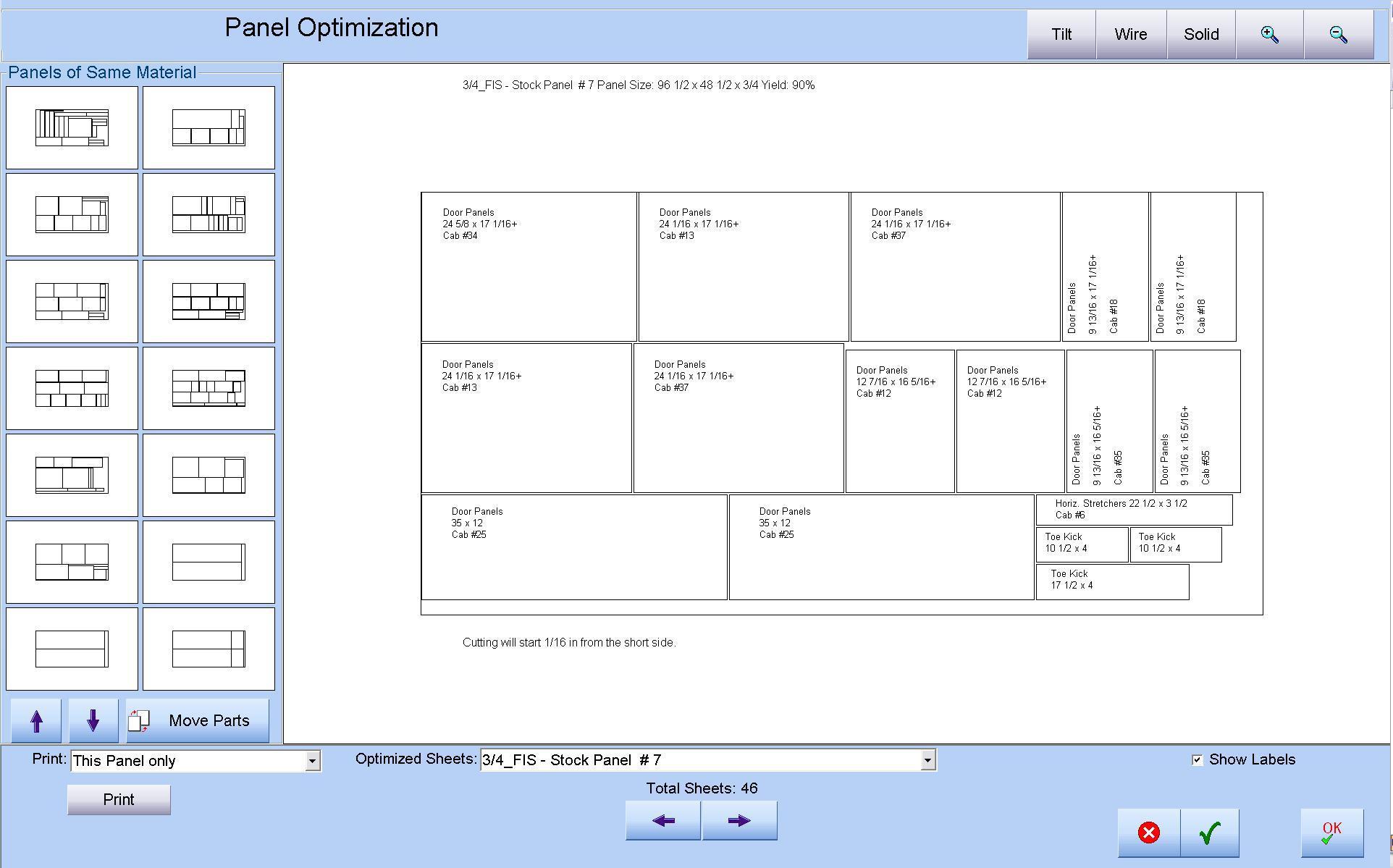
Panel Optimizer will optimize all door panels according to user preferences

bullet

Multiple Door Styles per sheet, or single door style per sheet

bullet

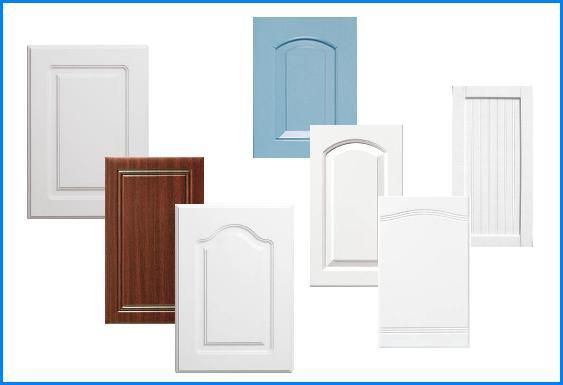
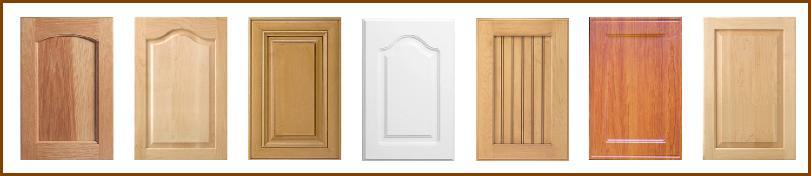
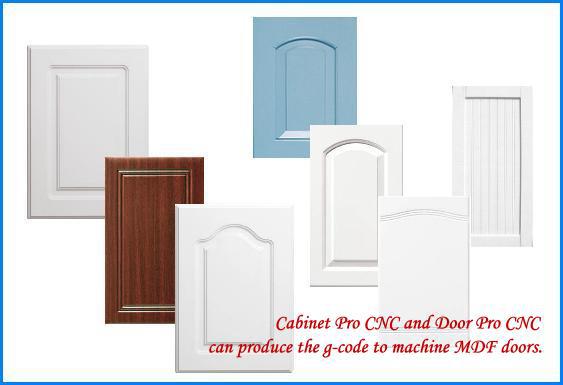
Supports shaping MDF Doors, including Cathedral and rounded doors

bullet

Select a Panel, Frame, or Edge Detail at Order Entry, and have the corresponding machining occur automatically

bullet

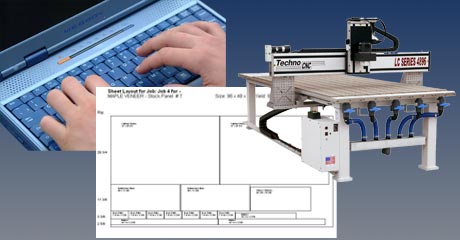
Writes CNC Code directly to your CNC Router without requiring any other program!

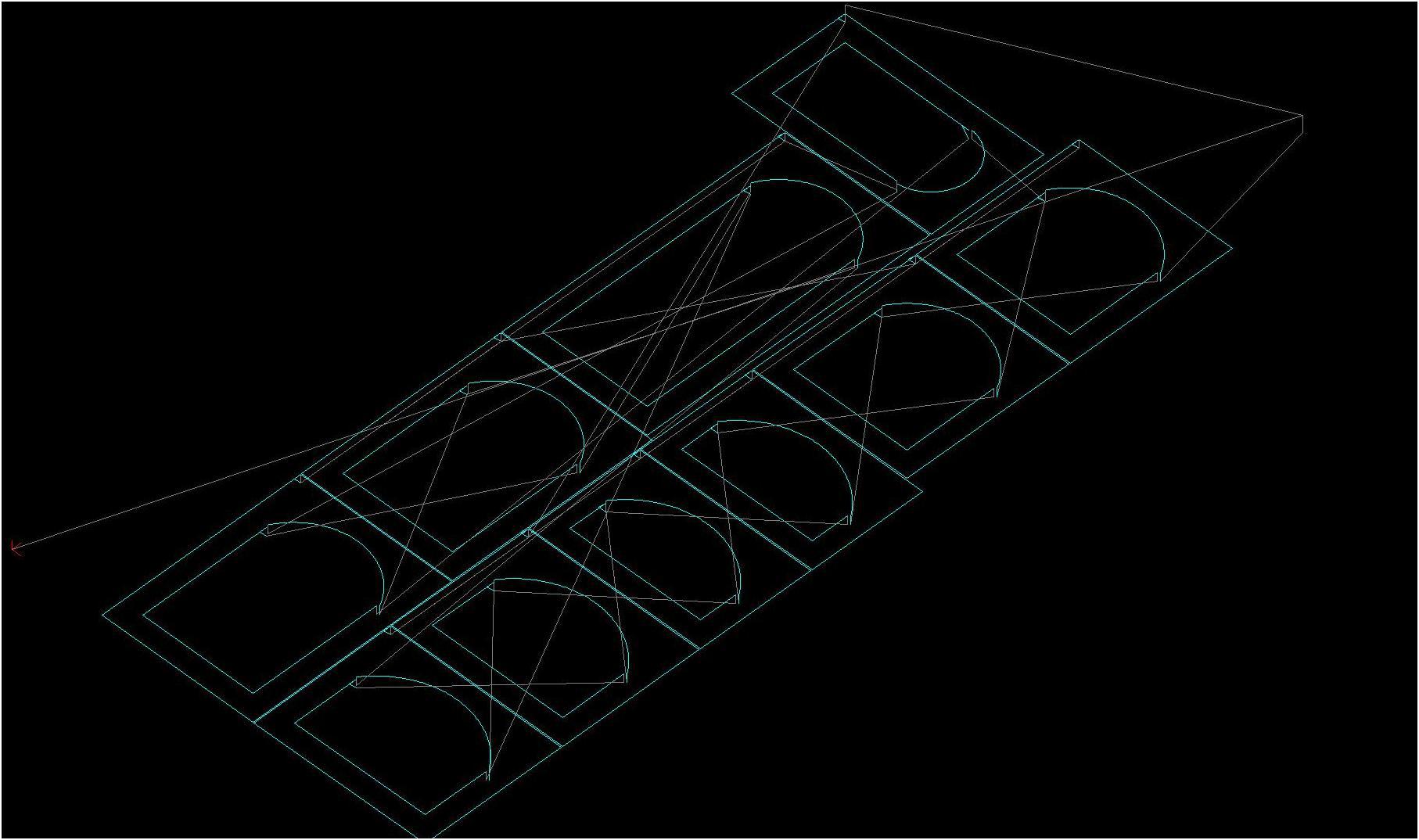
Click to Enlarge


Panel Optimization and Nesting
bullet

Allows for both Ripping Kerf and Crosscut Kerf (or CNC tool)

bullet

Use for a Panel Saw and/or for the CNC Router

bullet

Allows custom adjustment for width and length of parts optimized

bullet

Allows maximum and minimum part widths and lengths to be optimized

bullet

Automatic entry of all appropriate panels into the optimizer!

bullet

Allows numerous sub-rips within each rip.

bullet

Initial cutoffs for width and length per panel.

bullet

Allows no grouping so that maximum optimization is achieved.

bullet

Allows grouping by part, so that all like parts are optimized on the same sheet(s), if possible.

bullet

Allows grouping by cabinet, so that all parts of a given cabinet are optimized on the same sheet(s), if possible.

bullet

If grouped, the optimizer allows groups to be mixed on the same sheet or not.

bullet

Links door panels to their corresponding drawer fronts!

bullet

Allows saving of DXF files

bullet

Automatically generates CNC Code to machine and cut out parts for nested-based CNC routers

bullet

May assign one part per sheet for Point-to-Point machines

bullet

Prints report on optimized parts, including percent yield.

bullet

Match the grain AND grain direction of doors and drawers on a given panel.

bullet

Match grain for doors separately from drawers, or match doors and drawers together.

bullet

Rotate Parts on a panel

bullet

Move parts to another location on the same panel or move parts to a different panel

bullet

Create General Optimization rules and/or create panel optimization rules per material

bullet

Panels are automatically optimized according to your specifications while obtaining a cutlist.


MDF Doors and Door Processing
bullet

Allows automatic machining upon the application of frame details, edge details, and panel details (sometimes referred to as "profiles")

bullet

Allows machining of panels to be linked to a Door Style from the Door Library, rather than to a Cabinet from the Cabinet Library.

bullet

Allows the machining of drilling patterns, holes, straight cuts, u-cuts, rectangle cuts, and arcs as required per door style

bullet

Allows the machining of cathedral arches, as well as single oval-shaped arches.

bullet

Allows the look of multiple "panels" on a single door with different machining per "panel".

bullet

Drills door pull holes for user-defined styles

bullet

Bores out and drills holes hinge holes

bullet

Optional laminate plus overlap per door

bullet

Multiple edge banding thicknesses per side of doors


The CNC Operation, as processed by Door Pro
When Door Pro produces a cutlist, the panels are simultaneously sent to the Panel Optimizer which produces the G-Code Code behind the scenes to operate your CNC router.  The Cuts that are made automatically, depending upon your setup, are as follows:
bullet

Straight Dado cuts of any width and depth

bullet

Dado may be cut at any angle with any corner of the part being the reference point

bullet

Drilling patterns where the holes can be of any diameter and depth

bullet

Circular plowing cuts, which are essentially holes larger than the bit's diameter

bullet

Arcs defined by two end points and an arc height

bullet

Profile Cut where each part is cut.

bullet

All cuts and drilled holes may be referenced from any corner of each part

bullet

Each cut and drilled hole may be defined as inches, feet, yards, millimeters, centimeters, decimeters, or meters.

bullet

Each router bit may be defined as inches, feet, yards, millimeters, centimeters, decimeters, or meters.

bullet

Door Pro CNC  software supports routers equipped with a tool changer.

bullet

Door Pro CNC allows all dado cuts and drilled holes, regardless of diameter, width of cut, or depth of cut, to be made from the same bit if you do not have a tool changer.

bullet

The only operations Door Pro CNC software will allow are those needed by Door manufacturers, such as dado and rabbet cuts, drilled hole patterns, plowed holes larger than the diameter of a given bit, arc cuts, and profile cuts (cutting out the part itself).

bullet

Each cutting or drilling operation may be defined per door style.  Defining the operations once for a given door style will be defined for all doors of that door style, regardless of width and height.  Click the picture below to see an example of this parametric machining.


Some CNC Routers supported by Cabinet Pro and Door Pro
(Please note: Cabinet Pro LLC does not endorse any particular router.  Those shown below are listed here for informational purposes only.)

Cabinet Pro CNC and Door Pro CNC writes virtually any variation of g-code to routers that are or are not listed below, as well as code directly to BiesseWorks, Hops, Woodwop, and Xylog (See Below).


  Anderson
Apex
Axyz
Biesse
BiesseWorks (Biesse)
Boxford
Cam Solutions
Camaster
CamTech
CamWood
CNT Motion
DMS
Eagle Eye
Excitech
FullTech
 
Giotto
Hendrick
Haas
Holzher
Homag
HOPS (Holzher)
LarkenMasterwood
Komo
Mach3
Masterwood
Morbidelli
Motion Master
MultiCam
Omnitech
Onsrud
 
Pacer
Pratix
Precix
Shoda
Shop Sabre
SNX
Techno
Tekcel
Thermwood
User-Defined Routers
WartHog
Weeke
WinCNC
WoodWop (Weeke & Homag)
Xylog (Morbidelli)
 
Please Note:  If your CNC router requires code that is unique, we may need to modify an already existing Post Processor for your specific machine.  This is a relatively simple task and will be done at no additional charge, as long as you are willing to help test the modifications, and the changes are not extensive.


Click here for a comparison study of Cabinet Pro



Cabinet Pro CNC:  Cabinet Making Software Features at a Glance

As you investigate the various capabilities of Cabinet Pro on this website, make sure you read about the following features:

Kitchen Cabinet Design
3D Renderings
High Quality Graphics
Photorealistic Renderings
Floor plan design and CAD
Shop Drawings without Dimensions
Dimensioned Shop Drawings
Wall Elevations without Dimensions
Dimensioned Wall Elevations
Floor Plans without Dimensions
Dimensioned Floorplans
Auto Fill Wall with Custom Cabinets
100 Cabinets per room, 25 Rooms per job
Crown Moulding
Closets
Closet Parts
Closet Construction
Face Frame and Frameless Construction
Face Frame Beading
Wainscoting
Decorative Backs, Finished Ends, and Drawer Fronts
Fluted Stiles
Dimensioned Shop Drawings
Wall Elevations without Dimensions
Dimensioned Wall Elevations
Floor Plans without Dimensions
Angled Walls
Sectioned Views
Exploded Views
Part Labels
Cabinet Labels
Post Optimization Labels
General Cutlist Reports
Cabinet Cutlists with Shop Drawings
Material Reports
Door Reports
Drawer Reports
Face Frame Reports
Cabinet Case Reports
Edge Banding Reports
Different Edgebanding colors and thicknesses per side of the same part
Radius Corners
Angled Cabinets
Clipped Corners
Blind Dado Construction
Dowel Construction
Laminate Reports
Machining vs. Finished Dimensions of Parts
Batched Cut list Reports
Batched Material Reports
Export cut list to other programs
Automated G Code
User-defined G Code
CNC Support
Blind Dado Construction supported easily and efficiently
CNC Smart Rules machine automatically
Writes directly to Biesseworks for CNC Routers
Writes directly to Woodwop for Weeke and Homag CNC Routers
Writes directly to HOPS for Holzher CNC Routers
User-defined G Code Post Processor
Integrated G Code without another program
Panel Optimization
Panel Optimization Variables allowing customization of Optimized Sheet Goods
Move Optimized Parts on same sheet after Panel Optimization
Move Optimized Parts from one sheet to another after Panel Optimization
Rotate Optimized Parts after Panel Optimization
G-Code written directly from Panel Optimized Panels
Cathedral Doors
Import and export DXF files
Bidding
Invoicing
Re-facing cabinets
Remodeling jobs
Commercial Cabinets
Kitchen Cabinet Design
Closet Design
Teller Station Design
Entertainment Center Design


Cabinet Pro®, Door Pro® and SimplyPowerful® are Registered Trademarks of Cabinet Pro LLC

Telephone: (702) 330-0775
Fax: (541) 664-2810

Click here to officially enter the website of Cabinet Pro and Door Pro


Cabinet Pro®, Door Pro® and SimplyPowerful® are Registered Trademarks of Cabinet Pro LLC

Telephone: (702) 330-0775
Fax: (541) 664-2810

Click here to officially enter the website of Cabinet Pro and Door Pro